
Face Recognition Algorithm Execution Guide
1. Face Recognition Overview
Face recognition is a biometric authentication technology that verifies identity based on facial feature information. It acquires images or video streams containing faces through a camera or camera module, automatically detects and tracks faces in the image, and then identifies the detected faces. It is also commonly called person recognition or face authentication.
A face recognition system mainly consists of four components: face image acquisition and detection, face image preprocessing, face feature extraction, and matching or identification. This sample also includes these processing flows.
The performance of this face recognition algorithm on the dataset is as follows.
| Face recognition algorithm | performance |
|---|---|
| LFW | 99.80% |
| IJB-C(E4) | 97.12% |
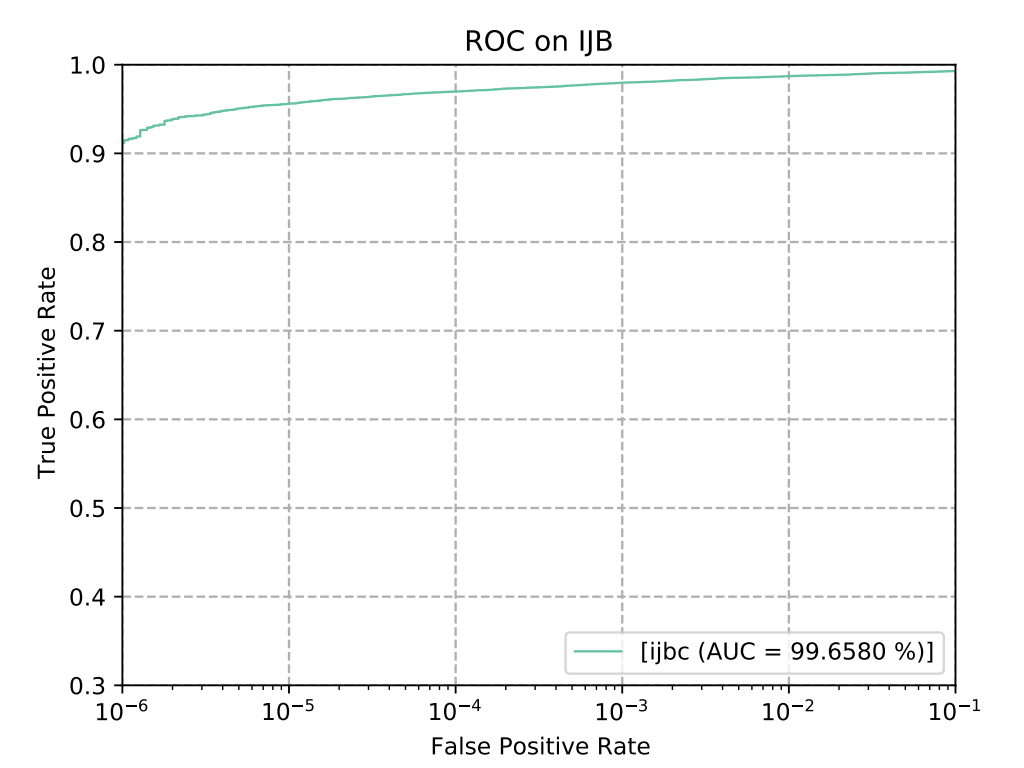
Figure 1-1
The execution efficiency on the CSUN RV1126B board is as follows.
| Algorithm type | Execution efficiency |
|---|---|
| face_detect | 24ms |
| face_recognition | 12.4ms |
2. Quick Start
2.1 Preparing the Development Environment
If you are reading this document for the first time, refer to the Getting Started Guide / Preparing and Updating the Development Compilation Environment, and follow the related steps to deploy the compilation environment. Run the run script on the Ubuntu system on the PC side to enter the Docker development environment.
cd ~/linuxshare/work/rv1126b/jp/embedded/images/develop_environment./run.sh 2204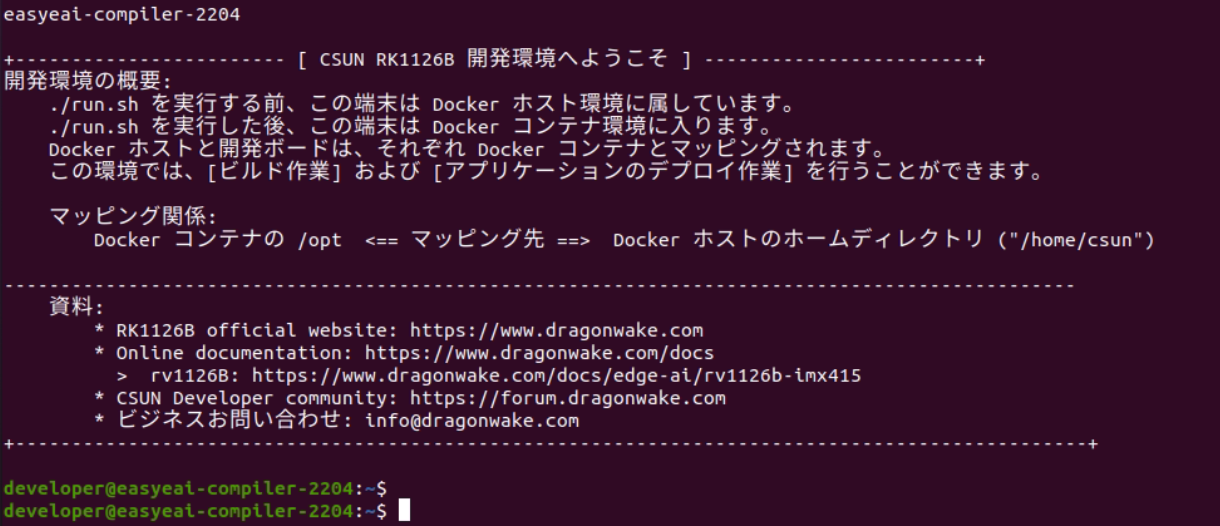
Figure 2-1
2.2 Downloading the Source Code
In the Docker development environment, create a management directory for storing the source code repository and use git to clone the remote repository. Download the entire repository.
cd /opt/linuxshare/work/rv1126b/jp/AI/demo/ai-algorithmgit clone https://github.com/csunltd/rv1126b-ai-toolkit.git2.3 Model Deployment
The face recognition sample uses both the face detection algorithm model and the face recognition algorithm model. After downloading, copy the model files to the Release/ directory.
- https://dl.dragonwake.com/download/rv1126b/AI/demo/01_face-detect.zip
- https://dl.dragonwake.com/download/rv1126b/AI/demo/02_face_recognition.zip
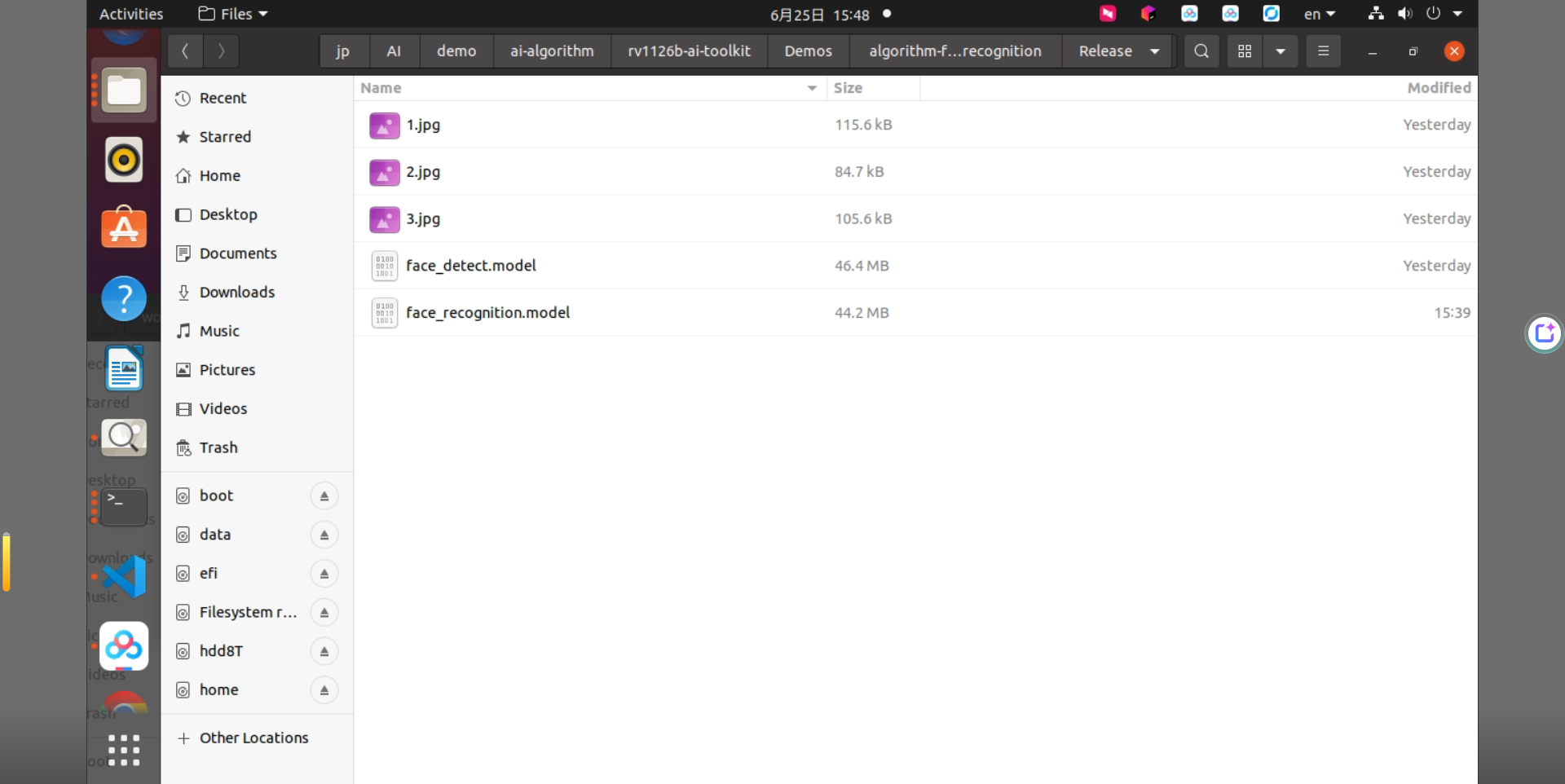
Figure 2-2
2.4 Building the Sample
Move to the directory containing the sample and run the build. Because the dependent libraries are placed on the development board, keep /mnt mounted during cross-compilation.
cd rv1126b-ai-toolkit/Demos/algorithm-face_recognition./build.sh cpressudo mount -t nfs -o vers=3,proto=tcp,mountproto=tcp,nolock,retrans=5,timeo=5 192.168.10.85:/ /mnt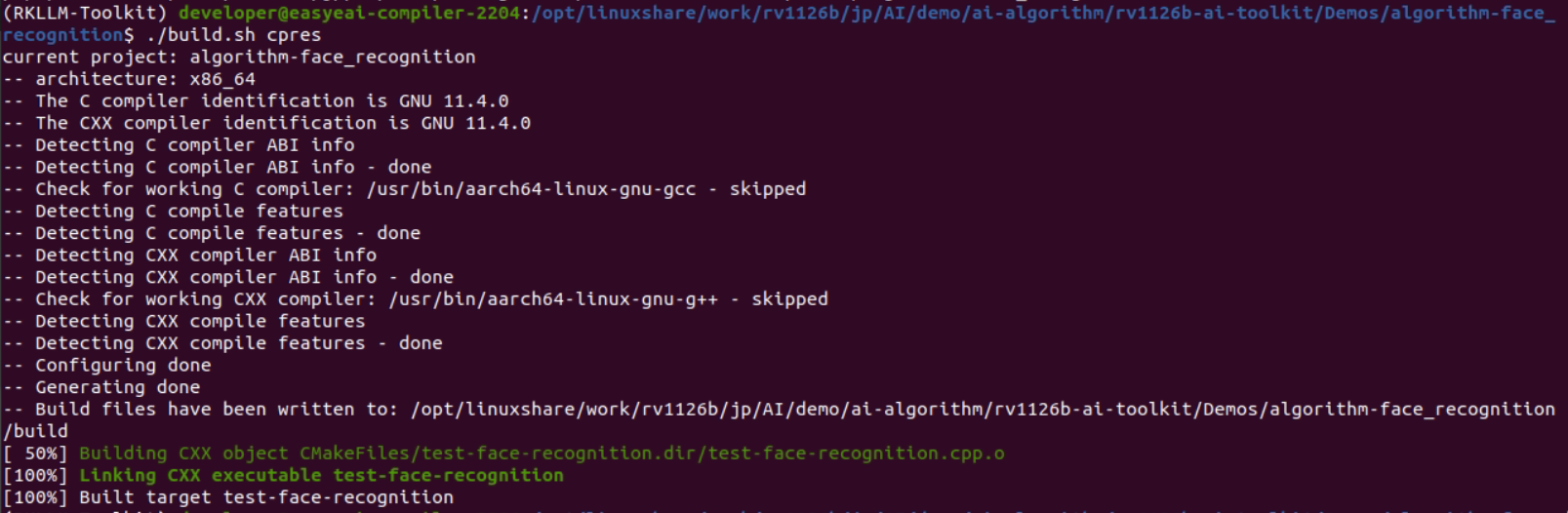
Figure 2-3
2.5 Running the Sample and Checking Results
The sample takes two face images as input and outputs similarity. If similarity is greater than 0.4, the two images are judged as the same person; the larger the value, the higher the probability. The similarity range is from -1 to 1.
cp Release/* /mnt/userdata/Demo/algorithm-face_recognition/cd /userdata/Demo/algorithm-face_recognition/./test-face-recognition 1.jpg 2.jpg
Figure 2-4
3. Face Detection API Description
3.1 Reference Method
To call the EASY EAI API library directly from a local project, add the following header file directory, library directory, and link parameter.
| Item | Description |
|---|---|
| Header file directory | easyeai-api/algorithm/face_detect |
| Library file directory | easyeai-api/algorithm/face_detect |
| Library link parameter | -lface_detect |
3.2 Face Detection Initialization Function
The function prototype is as follows.
int face_detect_init(rknn_context *ctx, const char *path);| Item | Description |
|---|---|
| Function name | face_detect_init() |
| Header file | face_detect.h |
| Input parameter | ctx: rknn_context handle |
| Input parameter | path: algorithm model path |
| Return value | Return value on success: 0 / Return value on failure: -1 |
| Description | None |
3.3 Face Detection Execution Function
The function prototype is as follows.
int face_detect_run(rknn_context ctx, cv::Mat &input_image, std::vector<det> &result);| Item | Description |
|---|---|
| Function name | face_detect_run() |
| Header file | face_detect.h |
| Input parameter | ctx: rknn_context handle |
| Input parameter | input_image: cv::Mat input image |
| Output parameter | result: face detection result |
| Return value | Return value on success: 0 / Return value on failure: -1 |
| Description | None |
3.4 Face Detection Release Function
The function prototype is as follows.
int face_detect_release(rknn_context ctx);| Item | Description |
|---|---|
| Function name | face_detect_release() |
| Header file | face_detect.h |
| Input parameter | ctx: rknn_context handle |
| Return value | Return value on success: 0 / Return value on failure: -1 |
| Description | None |
4. Face Alignment API Description
4.1 Reference Method
To call the EASY EAI API library directly from a local project, add the following header file directory, library directory, and link parameter.
| Item | Description |
|---|---|
| Header file directory | easyeai-api/algorithm/face_recognition |
| Library file directory | easyeai-api/algorithm/face_recognition |
| Library link parameter | -lface_recognition |
4.2 Face Alignment Function
The function prototype is as follows.
cv::Mat face_alignment(cv::Mat img, cv::Point2f *points);| Item | Description |
|---|---|
| Function name | face_alignment() |
| Header file | face_alignment.h |
| Input parameter | img: OpenCV input image |
| Input parameter | points: face landmark coordinates |
| Description | Receives the input image and face landmark coordinates, and outputs the aligned face image. |
5. Face Recognition API Description
5.1 Reference Method
To call the EASY EAI API library directly from a local project, add the following header file directory, library directory, and link parameter.
| Item | Description |
|---|---|
| Header file directory | easyeai-api/algorithm/face_recognition |
| Library file directory | easyeai-api/algorithm/face_recognition |
| Library link parameter | -lface_recognition |
5.2 Face Recognition Initialization Function
The function prototype is as follows.
int face_recognition_init(rknn_context *ctx, const char *path);| Item | Description |
|---|---|
| Function name | face_recognition_init() |
| Header file | face_recognition.h |
| Input parameter | ctx: rknn_context handle |
| Input parameter | path: algorithm model path |
| Return value | Return value on success: 0 / Return value on failure: -1 |
| Description | None |
5.3 Face Recognition Execution Function
The function prototype is as follows.
int face_recognition_run(rknn_context ctx, cv::Mat *face_image, float (*feature)[512]);| Item | Description |
|---|---|
| Function name | face_recognition_run() |
| Header file | face_recognition.h |
| Input parameter | ctx: rknn_context handle |
| Input parameter | face_image: cv::Mat input image |
| Output parameter | feature: 512-dimensional face feature vector |
| Return value | Return value on success: 0 / Return value on failure: -1 |
| Description | None |
5.4 Face Recognition Feature Comparison Function
The function prototype is as follows.
float face_recognition_comparison(float *feature_1, float *feature_2, int output_len);| Item | Description |
|---|---|
| Function name | face_recognition_comparison() |
| Header file | face_recognition.h |
| Input parameter | feature_1: face feature vector 1 |
| Input parameter | feature_2: face feature vector 2 |
| Input parameter | output_len: feature length |
| Description | In general, if the similarity is greater than 0.4, the two faces can be regarded as the same person. |
5.5 Face Recognition Release Function
The function prototype is as follows.
int face_recognition_release(rknn_context ctx);| Item | Description |
|---|---|
| Function name | face_recognition_release() |
| Header file | face_recognition.h |
| Input parameter | ctx: rknn_context handle |
| Return value | Return value on success: 0 / Return value on failure: -1 |
| Description | None |
6. Face Recognition Algorithm Sample
The sample directory is Demos/algorithm-face_recognition/test-face-recognition.cpp. The operation flow is as follows.
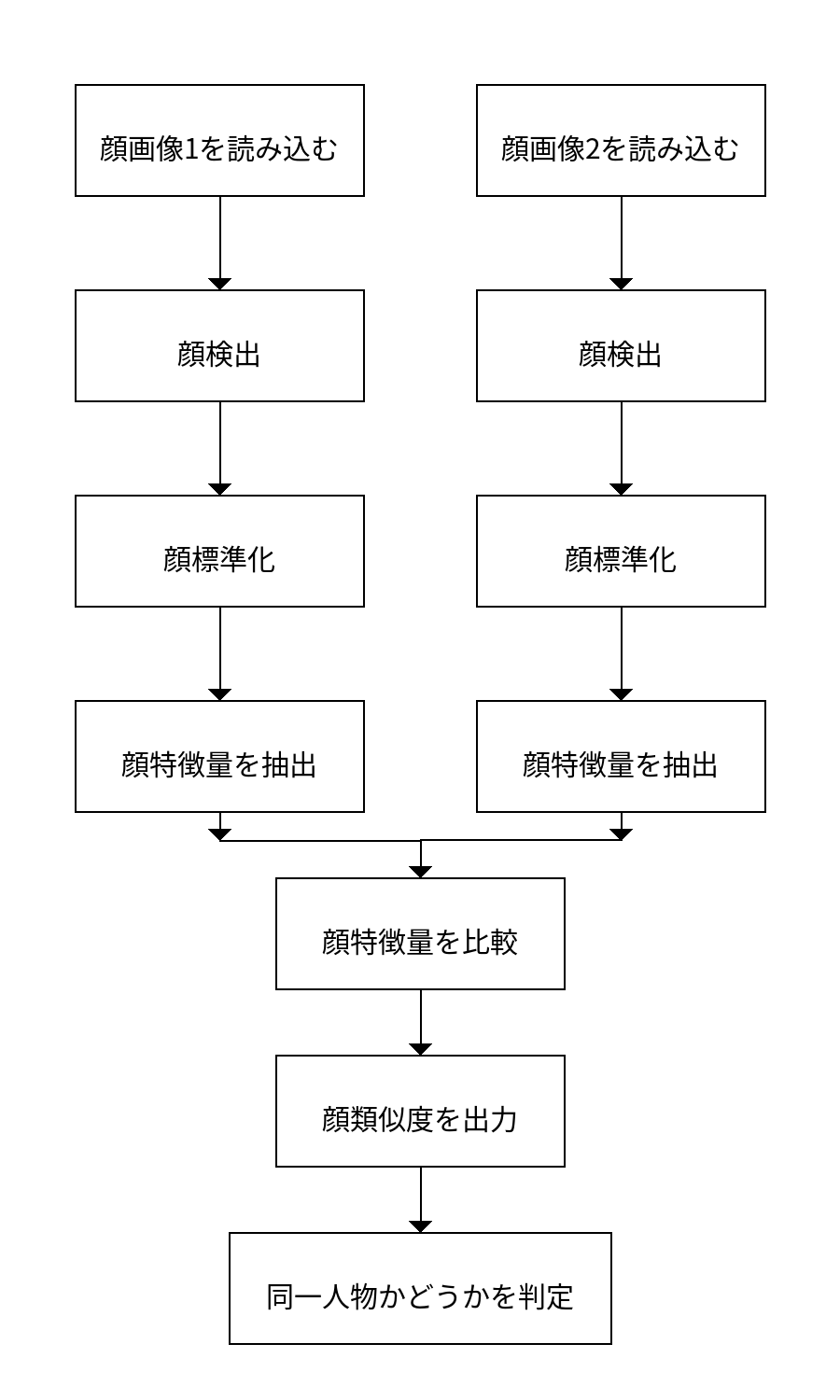
Figure 6-1
The reference sample is as follows.
#include <opencv2/opencv.hpp>#include <stdio.h>#include <unistd.h>#include <sys/time.h>#include <sys/stat.h>#include <sys/syscall.h>#include "face_detect.h"#include "face_alignment.h"#include "face_recognition.h"

using namespace cv;

int main(int argc, char **argv){  rknn_context detect_ctx, recognition_ctx;  std::vector<det> result1, result2;  int ret;  struct timeval start;  struct timeval end;  float time_use=0;

  if( argc != 3)  {    printf("./face_recognition_demo xxx.jpg xxx.jpg\n");    return -1;  }
  cv::Mat src_1, src_2;  src_1 = cv::imread(argv[1], 1);  src_2 = cv::imread(argv[2], 1);
  /* 顔検出を初期化します */  printf("face detect init!\n");  ret = face_detect_init(&detect_ctx, "./face_detect.model");  if( ret < 0)  {    printf("face_detect_init fail! ret=%d\n", ret);    return -1;  }
  /* 顔認識を初期化します */  printf("face recognition init!\n");  ret =  face_recognition_init(&recognition_ctx, "./face_recognition.model");  if( ret < 0)  {    printf("face_recognition fail! ret=%d\n", ret);    return -1;  }
  /* 顔検出を実行します */  face_detect_run(detect_ctx, src_1, result1);  face_detect_run(detect_ctx, src_2, result2);
  Point2f points1[5], points2[5];
  for (int j = 0; j < (int)result1[0].landmarks.size(); ++j)  {    points1[j].x = (int)result1[0].landmarks[j].x;    points1[j].y = (int)result1[0].landmarks[j].y;  }
  for (int j = 0; j < (int)result2[0].landmarks.size(); ++j)  {    points2[j].x = (int)result2[0].landmarks[j].x;    points2[j].y = (int)result2[0].landmarks[j].y;  }
  Mat face_algin_1, face_algin_2;  face_algin_1 = face_alignment(src_1, points1);  face_algin_2 = face_alignment(src_2, points2);

  /* 顔認識を実行します */  float feature_1[512], feature_2[512];
  gettimeofday(&start,NULL);  face_recognition_run(recognition_ctx, &face_algin_1, &feature_1);  gettimeofday(&end,NULL);  time_use=(end.tv_sec-start.tv_sec)*1000000+(end.tv_usec-start.tv_usec);//マイクロ秒  printf("time_use is %f\n",time_use/1000);
  face_recognition_run(recognition_ctx, &face_algin_2, &feature_2);

  float similarity;  similarity = face_recognition_comparison(feature_1, feature_2, 512);
  printf("similarity:%f\n", similarity);
  /* 顔検出を解放します */  face_detect_release(detect_ctx);
  /* 顔認識を解放します */  face_recognition_release(recognition_ctx);
  return 0;}