
顔認識アルゴリズム実行ガイド
1. 顔認識概要
顔認識は、人の顔特徴情報に基づいて本人確認を行う生体認証技術です。カメラまたはカメラモジュールで顔を含む画像や映像ストリームを取得し、画像内の顔を自動的に検出・追跡したうえで、検出された顔に対して識別を行う一連の関連技術を指します。一般に人物認識または顔認証とも呼ばれます。
顔認識システムは主に、顔画像の取得・検出、顔画像の前処理、顔画像特徴量の抽出、照合・識別の4つの構成要素で構成されます。本サンプルにもこれらの処理フローが含まれます。
本顔認識アルゴリズムデータセットでの性能は次のとおりです。
| 顔認識アルゴリズム | performance |
|---|---|
| LFW | 99.80% |
| IJB-C(E4) | 97.12% |
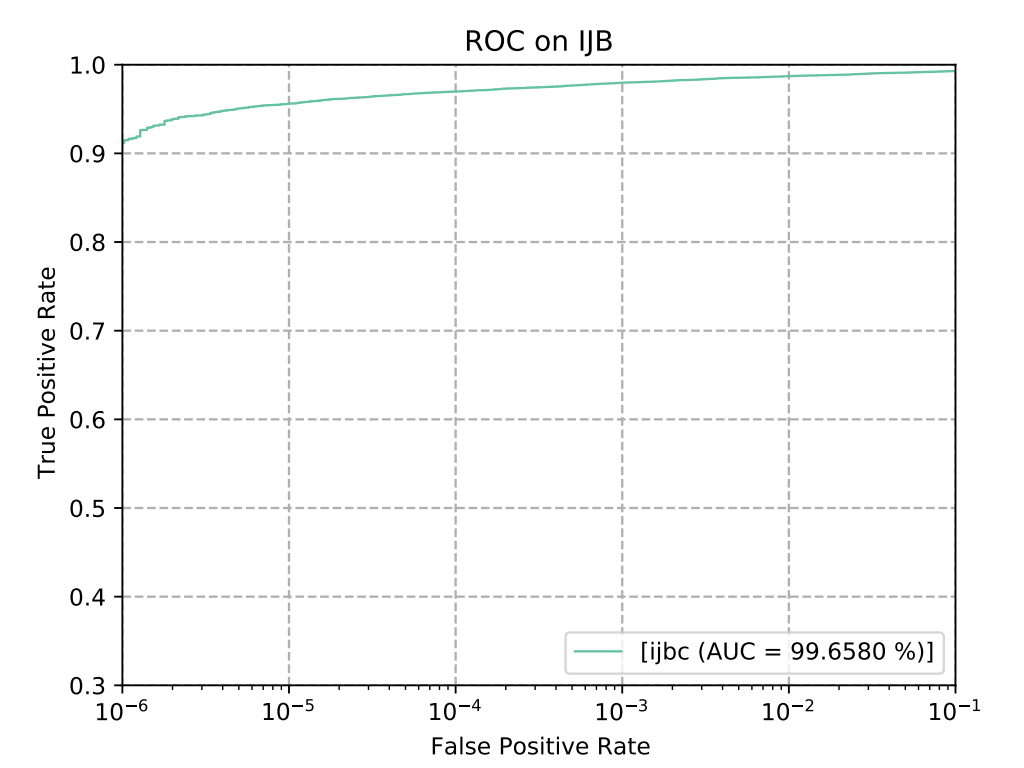
図 1-1
CSUN RV1126B基板での実行効率は次のとおりです。
| アルゴリズム種別 | 実行効率 |
|---|---|
| face_detect | 24ms |
| face_recognition | 12.4ms |
2. クイックスタート
2.1 開発環境の準備
本ドキュメントを初めてお読みになる場合は、『入門ガイド/開発コンパイル環境の準備と更新』を参照し、関連する手順に従ってコンパイル環境をデプロイしてください。PC側のUbuntuシステムで run スクリプトを実行し、Docker開発環境に入ります。
cd ~/linuxshare/work/rv1126b/jp/embedded/images/develop_environment./run.sh 2204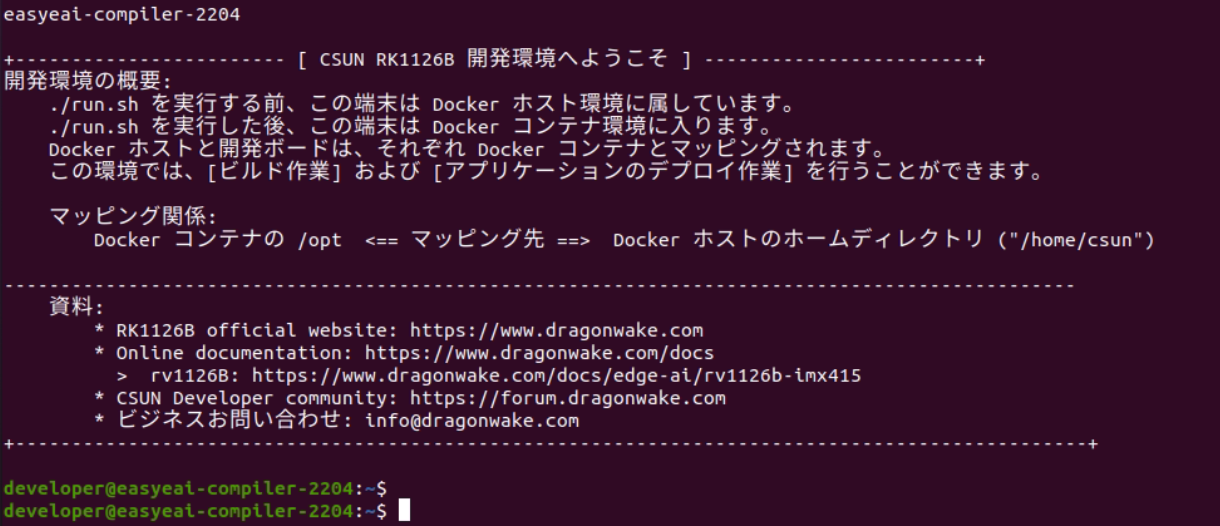
図 2-1
2.2 ソースコードのダウンロード
Docker開発環境で、ソースコードリポジトリを保存する管理ディレクトリを作成し、gitツールを使用してリモートリポジトリをクローンします。リポジトリ全体をダウンロードしてください。
cd /opt/linuxshare/work/rv1126b/jp/AI/demo/ai-algorithmgit clone https://github.com/csunltd/rv1126b-ai-toolkit.git2.3 モデルデプロイ
顔認識サンプルでは、顔検出アルゴリズムモデルと顔認識アルゴリズムモデルの両方を使用します。ダウンロード後、モデルファイルを Release/ ディレクトリへコピーしてください。
- https://dl.dragonwake.com/download/rv1126b/AI/demo/01_face-detect.zip
- https://dl.dragonwake.com/download/rv1126b/AI/demo/02_face_recognition.zip
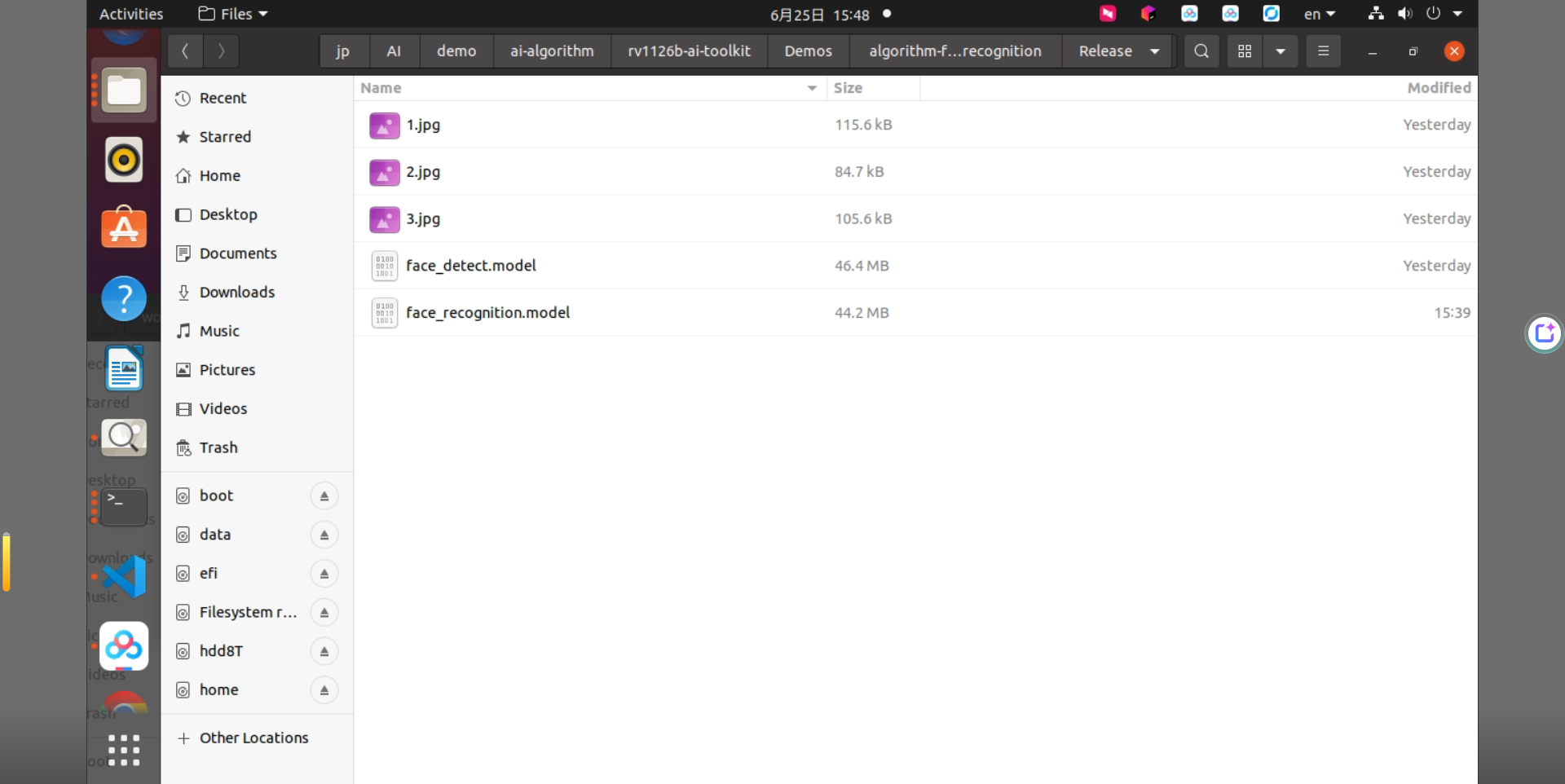
図 2-2
2.4 サンプルのビルド
サンプルがあるディレクトリに移動してビルドを実行します。依存ライブラリは開発ボード上に配置されているため、クロスコンパイル中は /mnt のマウントを保持します。
cd rv1126b-ai-toolkit/Demos/algorithm-face_recognition./build.sh cpressudo mount -t nfs -o vers=3,proto=tcp,mountproto=tcp,nolock,retrans=5,timeo=5 192.168.10.85:/ /mnt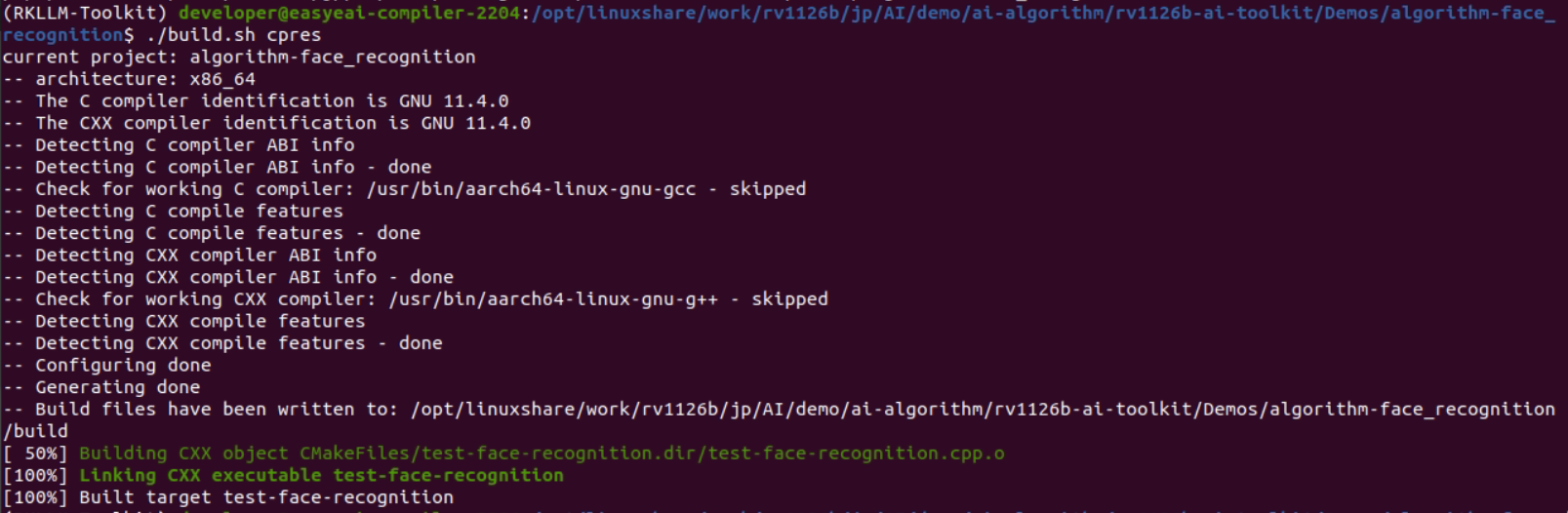
図 2-3
2.5 サンプル実行および結果
サンプルは2枚の顔画像を入力として受け取り、similarityを出力します。similarity が0.4より大きい場合は同一人物と判断され、値が大きいほど可能性が高くなります。similarity の値の範囲は -1 ~ 1 です。
cp Release/* /mnt/userdata/Demo/algorithm-face_recognition/cd /userdata/Demo/algorithm-face_recognition/./test-face-recognition 1.jpg 2.jpg
図 2-4
3. 顔検出API説明
3.1 参照方法
ローカルプロジェクトからEASY EAI APIライブラリを直接呼び出す場合、以下のヘッダファイルディレクトリ、ライブラリディレクトリおよびリンクパラメータを追加します。
| 項目 | 説明 |
|---|---|
| ヘッダファイルディレクトリ | easyeai-api/algorithm/face_detect |
| ライブラリファイルディレクトリ | easyeai-api/algorithm/face_detect |
| ライブラリリンクパラメータ | -lface_detect |
3.2 顔検出初期化関数
プロトタイプは次のとおりです。
int face_detect_init(rknn_context *ctx, const char *path);| 項目 | 説明 |
|---|---|
| 関数名 | face_detect_init() |
| ヘッダファイル | face_detect.h |
| 入力パラメータ | ctx: rknn_context handle |
| 入力パラメータ | path: algorithm model path |
| 戻り値 | 成功時の戻り値:0 / 失敗時の戻り値:-1 |
| 説明 | なし |
3.3 顔検出実行関数
プロトタイプは次のとおりです。
int face_detect_run(rknn_context ctx, cv::Mat &input_image, std::vector<det> &result);| 項目 | 説明 |
|---|---|
| 関数名 | face_detect_run() |
| ヘッダファイル | face_detect.h |
| 入力パラメータ | ctx: rknn_context handle |
| 入力パラメータ | input_image: cv::Mat input image |
| 出力パラメータ | result: face detection result |
| 戻り値 | 成功時の戻り値:0 / 失敗時の戻り値:-1 |
| 説明 | なし |
3.4 顔検出解放関数
プロトタイプは次のとおりです。
int face_detect_release(rknn_context ctx);| 項目 | 説明 |
|---|---|
| 関数名 | face_detect_release() |
| ヘッダファイル | face_detect.h |
| 入力パラメータ | ctx: rknn_context handle |
| 戻り値 | 成功時の戻り値:0 / 失敗時の戻り値:-1 |
| 説明 | なし |
4. 顔標準化API説明
4.1 参照方法
ローカルプロジェクトからEASY EAI APIライブラリを直接呼び出す場合、以下のヘッダファイルディレクトリ、ライブラリディレクトリおよびリンクパラメータを追加します。
| 項目 | 説明 |
|---|---|
| ヘッダファイルディレクトリ | easyeai-api/algorithm/face_recognition |
| ライブラリファイルディレクトリ | easyeai-api/algorithm/face_recognition |
| ライブラリリンクパラメータ | -lface_recognition |
4.2 顔標準化関数
プロトタイプは次のとおりです。
cv::Mat face_alignment(cv::Mat img, cv::Point2f *points);| 項目 | 説明 |
|---|---|
| 関数名 | face_alignment() |
| ヘッダファイル | face_alignment.h |
| 入力パラメータ | img: OpenCV input image |
| 入力パラメータ | points: face landmark coordinates |
| 説明 | 入力画像と顔ランドマーク座標を受け取り、標準化された顔画像を出力します。 |
5. 顔認識API説明
5.1 参照方法
ローカルプロジェクトからEASY EAI APIライブラリを直接呼び出す場合、以下のヘッダファイルディレクトリ、ライブラリディレクトリおよびリンクパラメータを追加します。
| 項目 | 説明 |
|---|---|
| ヘッダファイルディレクトリ | easyeai-api/algorithm/face_recognition |
| ライブラリファイルディレクトリ | easyeai-api/algorithm/face_recognition |
| ライブラリリンクパラメータ | -lface_recognition |
5.2 顔認識初期化関数
プロトタイプは次のとおりです。
int face_recognition_init(rknn_context *ctx, const char *path);| 項目 | 説明 |
|---|---|
| 関数名 | face_recognition_init() |
| ヘッダファイル | face_recognition.h |
| 入力パラメータ | ctx: rknn_context handle |
| 入力パラメータ | path: algorithm model path |
| 戻り値 | 成功時の戻り値:0 / 失敗時の戻り値:-1 |
| 説明 | なし |
5.3 顔認識実行関数
プロトタイプは次のとおりです。
int face_recognition_run(rknn_context ctx, cv::Mat *face_image, float (*feature)[512]);| 項目 | 説明 |
|---|---|
| 関数名 | face_recognition_run() |
| ヘッダファイル | face_recognition.h |
| 入力パラメータ | ctx: rknn_context handle |
| 入力パラメータ | face_image: cv::Mat input image |
| 出力パラメータ | feature: 512-dimensional face feature vector |
| 戻り値 | 成功時の戻り値:0 / 失敗時の戻り値:-1 |
| 説明 | なし |
5.4 顔認識特徴量照合関数
プロトタイプは次のとおりです。
float face_recognition_comparison(float *feature_1, float *feature_2, int output_len);| 項目 | 説明 |
|---|---|
| 関数名 | face_recognition_comparison() |
| ヘッダファイル | face_recognition.h |
| 入力パラメータ | feature_1: face feature vector 1 |
| 入力パラメータ | feature_2: face feature vector 2 |
| 入力パラメータ | output_len: feature length |
| 説明 | 通常、類似度が0.4より大きい場合は同一人物と見なすことができます。 |
5.5 顔認識解放関数
プロトタイプは次のとおりです。
int face_recognition_release(rknn_context ctx);| 項目 | 説明 |
|---|---|
| 関数名 | face_recognition_release() |
| ヘッダファイル | face_recognition.h |
| 入力パラメータ | ctx: rknn_context handle |
| 戻り値 | 成功時の戻り値:0 / 失敗時の戻り値:-1 |
| 説明 | なし |
6. 顔認識アルゴリズムサンプル
サンプルディレクトリは Demos/algorithm-face_recognition/test-face-recognition.cpp です。操作フローは次のとおりです。
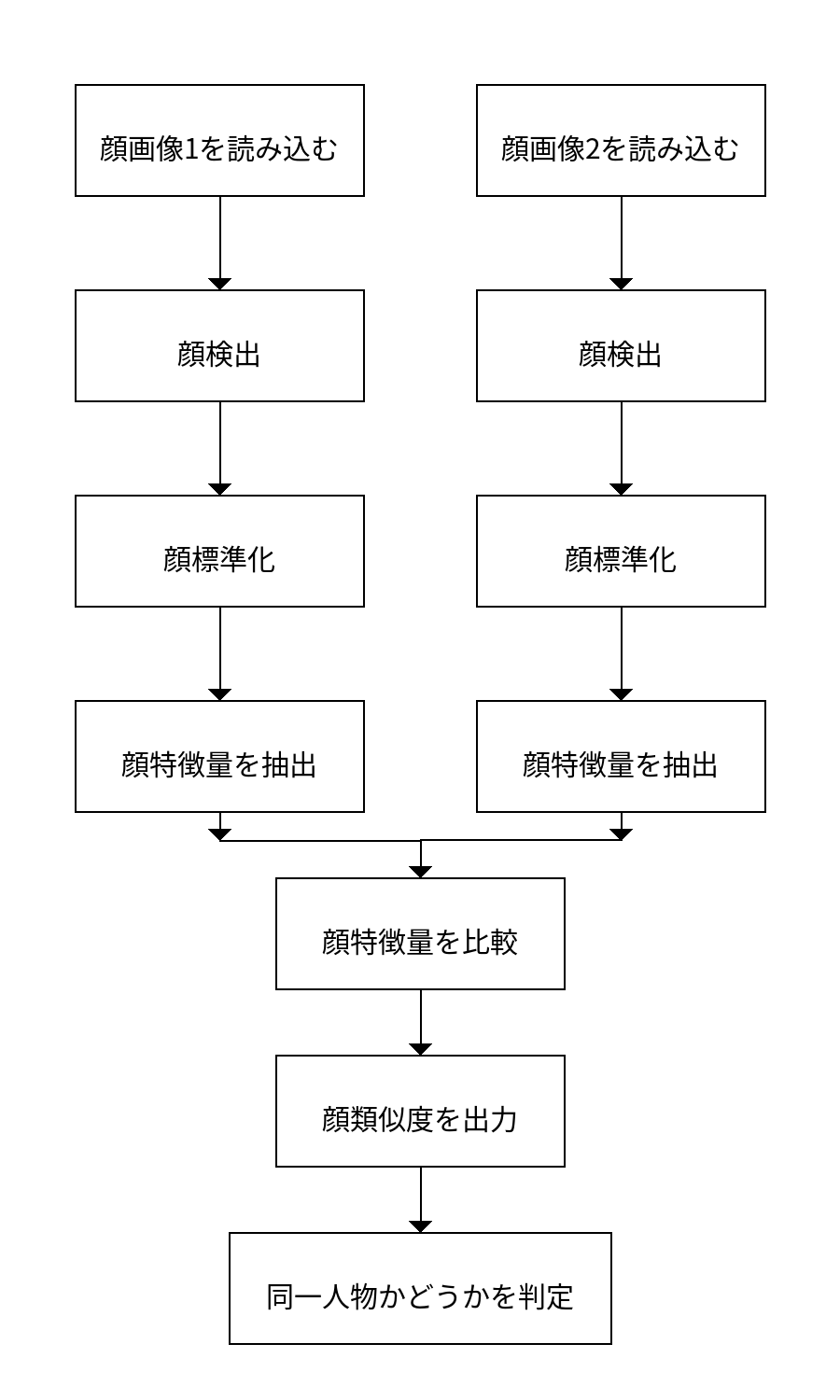
図 6-1
参考サンプルは次のとおりです。
#include <opencv2/opencv.hpp>#include <stdio.h>#include <unistd.h>#include <sys/time.h>#include <sys/stat.h>#include <sys/syscall.h>#include "face_detect.h"#include "face_alignment.h"#include "face_recognition.h"

using namespace cv;

int main(int argc, char **argv){  rknn_context detect_ctx, recognition_ctx;  std::vector<det> result1, result2;  int ret;  struct timeval start;  struct timeval end;  float time_use=0;

  if( argc != 3)  {    printf("./face_recognition_demo xxx.jpg xxx.jpg\n");    return -1;  }
  cv::Mat src_1, src_2;  src_1 = cv::imread(argv[1], 1);  src_2 = cv::imread(argv[2], 1);
  /* 顔検出を初期化します */  printf("face detect init!\n");  ret = face_detect_init(&detect_ctx, "./face_detect.model");  if( ret < 0)  {    printf("face_detect_init fail! ret=%d\n", ret);    return -1;  }
  /* 顔認識を初期化します */  printf("face recognition init!\n");  ret =  face_recognition_init(&recognition_ctx, "./face_recognition.model");  if( ret < 0)  {    printf("face_recognition fail! ret=%d\n", ret);    return -1;  }
  /* 顔検出を実行します */  face_detect_run(detect_ctx, src_1, result1);  face_detect_run(detect_ctx, src_2, result2);
  Point2f points1[5], points2[5];
  for (int j = 0; j < (int)result1[0].landmarks.size(); ++j)  {    points1[j].x = (int)result1[0].landmarks[j].x;    points1[j].y = (int)result1[0].landmarks[j].y;  }
  for (int j = 0; j < (int)result2[0].landmarks.size(); ++j)  {    points2[j].x = (int)result2[0].landmarks[j].x;    points2[j].y = (int)result2[0].landmarks[j].y;  }
  Mat face_algin_1, face_algin_2;  face_algin_1 = face_alignment(src_1, points1);  face_algin_2 = face_alignment(src_2, points2);

  /* 顔認識を実行します */  float feature_1[512], feature_2[512];
  gettimeofday(&start,NULL);  face_recognition_run(recognition_ctx, &face_algin_1, &feature_1);  gettimeofday(&end,NULL);  time_use=(end.tv_sec-start.tv_sec)*1000000+(end.tv_usec-start.tv_usec);//マイクロ秒  printf("time_use is %f\n",time_use/1000);
  face_recognition_run(recognition_ctx, &face_algin_2, &feature_2);

  float similarity;  similarity = face_recognition_comparison(feature_1, feature_2, 512);
  printf("similarity:%f\n", similarity);
  /* 顔検出を解放します */  face_detect_release(detect_ctx);
  /* 顔認識を解放します */  face_recognition_release(recognition_ctx);
  return 0;}